Spring
March to MayLandscaping, interlock, roofing and fence pages move up, furnace offers step back, moving and real estate pages get busier, and winter hours come down.

Website Maintenance
Updates, backups, security checks and content edits for Brampton websites, so hours, availability, prices and seasonal pages stay right from market season through snow season.

Websites in Brampton, Ontario rarely fail in one dramatic moment. They drift. A snow-clearing page still lists last winter’s terms in November, a clinic’s “accepting new patients” note stays up after the list closes, a banquet hall’s package page shows the previous year’s menu. Each slip looks small, but searches such as “brampton walk in clinic hours” and “brampton snow removal services” show that people come to a site for exactly those facts.
The weather sets much of the pace. January’s daily mean is −5 °C and July’s 22.1 °C, with about 697 mm of rain and 114.5 cm of snow in a typical year. Heating and snow contractors lead with different services in January than in June, halls and caterers swing between wedding season and holiday parties, and renovation firms need pages that keep up whenever the City revises its basement and second-unit requirements.
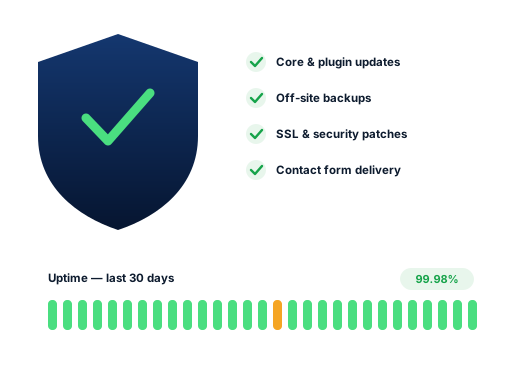
Underneath sits the plumbing of the site itself: core and plugin updates, backup copies, security fixes, the SSL certificate that keeps the padlock showing, and the yearly domain renewal. Every SEO Brampton monthly plan covers that routine work, so it is done on a schedule instead of whenever someone happens to think of it.
Search demand
Google.ca suggestions from October 2026. Each rewards a page that somebody keeps up to date.
Most of those eight searches are tied to a date, a season or a rule that changes. A page that is a year behind loses the visitor in seconds, whatever its ranking. So we hold a simple calendar of the edits your site needs through the year, from furnace season to market Saturdays to snow contracts, and make each one a few weeks early.
Slow leaks
Each one hides behind a home page that still looks fine.
Lawn care promoted in December, a patio menu in February or a sale that ended in spring. Visitors read it as a sign that nobody is minding the business.
Visitors see a thank-you note, yet the message never reaches your inbox. Hosting mail settings are a common cause. We move site email onto an authenticated sending service and submit each form ourselves once a month to confirm delivery.
Booking calendars often depend on several plugins. One update can leave the date picker stuck on mobile while the office computer shows nothing wrong. We run a test booking on a real phone after every round of updates.
Renewal notices go to an inbox nobody reads, and one morning the site and the email both stop working. We record every account, move ownership to the business and watch the renewal dates.
Old plugins with known flaws are how most small sites are compromised. The intruder often adds pages selling something unrelated, invisible from your menus but crawled by Google, and rankings slip. Keeping software current and scanning weekly closes that door.
Brampton’s year
The dates below repeat every year, so the changes can be drafted ahead and published on time.
Landscaping, interlock, roofing and fence pages move up, furnace offers step back, moving and real estate pages get busier, and winter hours come down.
Farmers’ Market Saturdays downtown, Canada Day at Chinguacousy Park, Carabram in July, patio menus and the height of wedding and banquet bookings, with holiday hours around each long weekend.
Furnace tune-ups, snow contracts going on sale, school-year timetables for academies and tutors, holiday hours through October, and Winter Lights in Gage Park from mid-November.
Holiday hours, snow removal and emergency heating pages moved to the front, skating at Gage Park and tubing at Chinguacousy Park drawing visitors past nearby businesses, and storm closure notices ready to post.
The work
Each round of core, theme and plugin updates starts with a backup and ends with a walk through the key pages, the forms and the booking tool.
Copies held on storage separate from your hosting account, on a schedule that matches how often you publish, and restored to a test copy every quarter to confirm they are usable.
Weekly scans, limits on login attempts, two-step sign-in for admins, and a clear-out of plugins and user accounts nobody uses any more.
Send an email for any change, new prices, a staff photo, a revised menu or a seasonal page, and it is done within a few working days; an emergency closure notice goes up the same day.
Quote requests, contact forms and online booking tested end to end each month, with the results noted in your report.
Expiry dates for the domain, certificate and hosting kept in one register, with renewals confirmed weeks in advance and contact addresses pointed at someone still on staff.
Done carefully
The rules we follow on every account, written down so you can hold us to them.
Keeping the site healthy costs nothing beyond your plan. Anything larger comes with a written price first.
The monthly plans cover the steady work: updates, backups, scans, monthly form tests and everyday edits to hours, prices and pages. New sections, added features or a full redesign are separate projects with their own quote, agreed before we start. Your hosting account remains yours and your host invoices it directly.
Ask us about your business
How we work
We start with a careful review of your listing and site, then settle into a short monthly report you can read in a few minutes.
We go through your site and Business Profile, then run your key searches as they appear from Bramalea, Mount Pleasant, Springdale and Credit Valley.
Together we choose the searches worth chasing and decide which need a new page and which only need a profile change.
Profile edits, pages, content and directory clean-up, starting with whatever should bring enquiries soonest.
Every month you get the calls, form messages and positions we measured, plus what we will work on next.
Questions
You will not see a separate line for it. Upkeep sits inside the Starter, Growth and Pro plans at $300, $500 and $700 a month in CAD, each payable month by month. Bigger jobs, such as a redesign or a new feature, get their own quote.
We do not resell hosting. Keeping the account in your own name means no one can hold your site hostage. If the current host is slow or keeps going down, we will recommend alternatives and carry out the migration for you.
Yes. You keep full editor access. We suggest one person in your office handles quick text changes, while we look after anything involving plugins, layout or code. If an edit goes wrong, the latest backup lets us roll it back.
We can check the City of Brampton’s published second-unit and permit pages on a schedule you choose and flag anything that looks out of date. You confirm the details, since you know your work and your permits best, and we update the wording with a date and a link to the City’s current requirements.
In most cases. First we take stock: the hosting, the theme, each plugin and its update status, who holds which password, and whether any backup exists. You get a short written summary of the risks and options before we commit to looking after it.
We take the site offline briefly if needed, put back the last clean copy, patch whatever let the attacker in, reset every password and ask Google to review any security warning. Routine updates and weekly scans make this rare.
Further reading
Further reading on this subject for business owners in Brampton.
Each service can be hired separately, and plenty of clients start with one.
People search for each trade differently, so every industry page is researched on its own.
A free review shows how visible you are from Bramalea to Mount Pleasant, which competitors rank above you and the first changes to make.
Get my free audit