
Speed Optimization

Website speed optimization in Brampton, Ontario

Quicker pages for Brampton firms whose customers search from a phone, whether that is a seat on a Züm bus, a GO train, a plaza parking lot or a cab between deliveries.

  • Core Web Vitals
  • Lighter images
  • Fewer scripts
  • Caching and hosting
  • Tested on mid-range phones
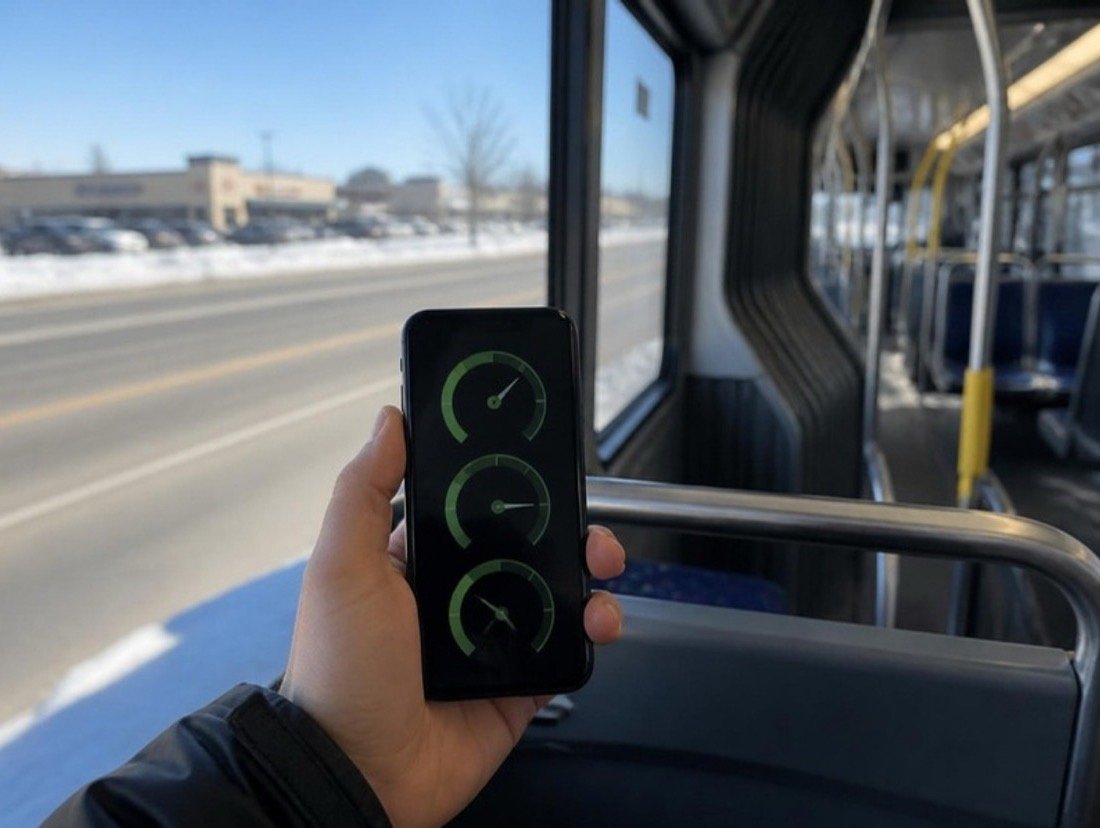
Three green speed dials on a smartphone held up inside a rapid-transit bus, snowbanks and a wide road blurred past the window

Your customers are searching from a phone, often on the move

Much of the local searching in Brampton, Ontario happens far from a desk. Brampton Transit carried about 226,500 riders on a typical weekday in 2024, and Züm buses run along Queen Street, Main Street and Steeles Avenue; riders look things up between stops. Others type “brampton restaurants open late” from a parked car, or “emergency dentist brampton open now” with a toothache. Mobile signal on the move can be uneven, so a page that seems fine on office Wi-Fi can stall on a phone.

Slowness costs customers before it costs rankings. A visitor waiting for a call button or a menu gives up after a few seconds and taps the next result. The heaviest Brampton sites we see are banquet and wedding galleries with hundreds of full-size photos, property listings, restaurant menus uploaded as PDFs, and clinic sites running chat, booking and review scripts side by side.

We begin by measuring the pages that matter to you with the same data Google collects from real Chrome users, then price the fixes as a single project. Once the site is fast, your monthly plan’s routine upkeep keeps it that way, with every update checked for added weight.

  • About 226,500 Brampton Transit riders on an average weekday (Q2 2024)
  • Since 2010 Züm rapid buses on Queen Street
  • Quoted once after we measure your pages
A dial drawn with its pointer resting in the green band, next to a plain page outline

Search demand

Searches made with a phone in hand

Google.ca suggestions, October 2026. Almost all are phone searches by someone who wants an answer within seconds.

Search term Intent Why it matters
brampton restaurants open late Urgent Typed after a shift or a late event; a menu that crawls in sends them to the next listing.
emergency dentist brampton open now Urgent Someone in pain wants the phone number on screen at once.
brampton zum 501 schedule Medium A transit search that shows how much of the city browses while travelling.
brampton go station parking Medium Commuters checking on the way; their other local searches happen on mobile data too.
brampton mobile mechanic Urgent A stalled car and a weak signal; a light page with tap-to-call at the top wins.
brampton homes for sale with pool High Listing pages packed with photos, each one needing resizing and lazy loading.
brampton party hall photos Research Gallery pages that must stay quick even with dozens of pictures.
eyebrow threading brampton near me High A quick decision made in a plaza lot; the price list should load before the photos.

Load the first screen fast, the rest as needed

The person behind each search wants a phone number, an address, today’s hours or a price, and wants it before the bus reaches the next stop. So the top of every key page is built to arrive first and light: call button, address, hours. Galleries, maps, reviews and chat load later, when someone scrolls to them or asks for them. Nothing is removed; it is simply put in a sensible order.

Usual suspects

What slows a typical Brampton business site

In our audits, slow sites rarely have just one cause.

  1. 01

    Event galleries at camera size

    Galleries for halls, caterers and photographers are often uploaded straight from the camera, so each thumbnail carries a file many times larger than the space it fills. Resizing and modern formats usually cut the weight dramatically.

  2. 02

    Menus and price lists as PDFs

    Restaurants, caterers and salons often post a menu or price list as a PDF. On a phone that means a separate download, pinching and zooming, and text Google handles less well. A simple web page version is lighter, quicker to edit and easier to read.

  3. 03

    A pile of third-party scripts

    Live chat, a review slider, a social feed, two booking tools and three analytics tags can easily share one home page. Each adds code the phone must fetch and run. We list what every script does and who still uses it, then remove or delay the rest.

  4. 04

    A page builder carrying too much

    Drag-and-drop builders ship styles and scripts for every widget they offer, used or not. On many sites that bulk outweighs all the photos combined, and slimming the builder down, or replacing it, gives the largest single improvement.

  5. 05

    Hosting under strain

    When the server takes a second or more just to start replying, nothing else can begin. Caching hides part of the delay; sometimes moving to a better host is the only lasting fix.

What Google measures

Core Web Vitals in plain language

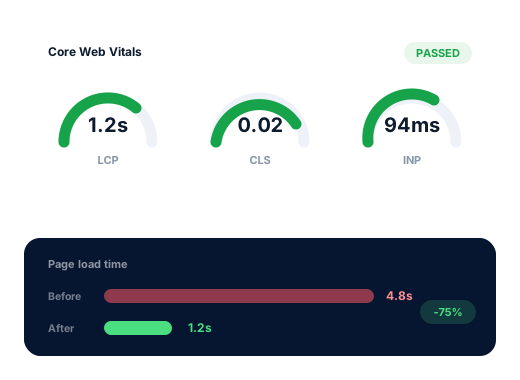
Three numbers, taken from what real Chrome users experienced over the last four weeks. Google scores each at the point where three quarters of visits did better, so a handful of fast visits cannot hide a slow majority.

01

Largest Contentful Paint (LCP)

Loading

Marks the moment the main block of the first screen, usually the top photo or the headline, finishes appearing. Google wants it within 2.5 seconds. Uncompressed photos and a server that answers slowly are the common culprits.

02

Interaction to Next Paint (INP)

Responsiveness

The delay between a tap or keystroke and the page visibly reacting, whether opening a menu, choosing a date or typing a postal code. Google’s good mark is 200 milliseconds or under, and busy third-party scripts are the usual drag.

03

Cumulative Layout Shift (CLS)

Stability

How much content jumps while the page settles, such as a booking button sliding down as a photo appears above it. A score of 0.1 or lower passes. Images and embeds without reserved space, and notices that pop in late, are the typical reasons.

The work

What the speed project includes

01

Measure before changing

We pull Chrome user data for your key pages, run lab tests on a modest Android phone over a throttled connection, and rank every file by what it costs in load time.

02

Images handled properly

Photos exported at the sizes the layout really uses, compressed, delivered in modern formats with a fallback, and lazy-loaded below the first screen, while the top image is given priority.

03

Scripts trimmed

Plugins nobody uses deleted, chat and review widgets loaded on demand, and overlapping analytics tags merged into one setup that still reports what you need.

04

Caching and delivery

Server-side page caching, sensible browser cache rules, and a CDN where your audience and hosting make it worthwhile, with forms and booking pages excluded so they stay live.

05

Layout held steady

Width and height set on every image and embed, a fixed slot for any notice bar, and web fonts loaded so the text does not reflow when they arrive.

06

Checked again after release

Lab scores compared before and after on the day of release, then the Chrome user data reviewed about a month later, once the 28-day window has caught up.

Done carefully

Honest about what speed can do

The rules we follow on every account, written down so you can hold us to them.

Plain answer
Speed rarely lifts a weak page above a strong one. What it does is keep the people who already clicked on you.

Page experience is one input among many in Google’s ranking systems. The measurable payoff is usually in behaviour: more visitors reaching the call button, the booking form or the menu. The project is priced once, in CAD, after we measure, and if the honest answer is a new host or theme rather than tuning, we say so first.

Measured with
Chrome user data and lab tests
Price
Fixed quote after an audit
Afterwards
Kept fast within your monthly plan
Ask us about your business
A shopping plaza at dusk after rain, shop windows lit along a wet sidewalk, bare trees and a parking lot full of cars
  • Real-visitor results matter more to us than a perfect lab score.
  • Your gallery keeps its photos; they are resized, not removed.
  • Analytics and call tracking stay on unless you agree otherwise.
  • A full backup is taken before the first file changes.

How we work

How working with us runs, in four steps

We start with a careful review of your listing and site, then settle into a short monthly report you can read in a few minutes.

  1. 01

    Look closely

    We go through your site and Business Profile, then run your key searches as they appear from Bramalea, Mount Pleasant, Springdale and Credit Valley.

  2. 02

    Pick the targets

    Together we choose the searches worth chasing and decide which need a new page and which only need a profile change.

  3. 03

    Make the changes

    Profile edits, pages, content and directory clean-up, starting with whatever should bring enquiries soonest.

  4. 04

    Report back

    Every month you get the calls, form messages and positions we measured, plus what we will work on next.

Questions

Website speed questions from Brampton owners

How can we check our own site’s speed?

Two quick tests. Put your home page into Google’s PageSpeed Insights and look first at the mobile field data, which reflects real visitors, before the lab score. Then switch your phone off Wi-Fi, load the site on a Züm ride or in a parking lot, and count the seconds until you could call or book.

Will a faster site rank higher?

Occasionally it tips a close contest between two similar pages. More often the gain shows up in your inquiries rather than your position, because people who would have abandoned a slow page now stay long enough to get in touch.

Our banquet hall gallery has hundreds of photos. Do they have to go?

No. Couples and families want to see the room set up for an event. The photos need resizing and compression, a small set on the main page, and the full gallery opening only when someone asks for it. Handled that way, a picture-rich page can still load quickly.

Does a slow site matter if most customers phone us?

Yes, because most of them find the number on your site or profile first. If the page stalls before the number appears, the call goes to whoever loaded faster. A tap-to-call link at the very top, in plain text, is one of the first fixes we make.

How long does the project take?

The work itself usually fits into one to two weeks for a small business site, done on a copy first and then released. Expect Google’s own reports to lag by about a month, since they average the previous 28 days of visits.

What does speed work cost?

Speed work is billed once, in CAD, with the figure set after the audit has found the real causes. From then on, staying fast is part of ordinary upkeep inside your monthly plan, $300 Starter, $500 Growth or $700 Pro, which you can end with any monthly bill.

Further reading

Related articles

Further reading on this subject for business owners in Brampton.

Who shows up when Brampton searches for what you do?

A free review shows how visible you are from Bramalea to Mount Pleasant, which competitors rank above you and the first changes to make.

Get my free audit